MagicPath is an infinite-canvas AI design tool that turns text prompts into editable UI screens and exports React/TypeScript/Tailwind code. Built for designers, founders, and PMs who want to go from idea to prototype without writing a line of CSS.
MagicPath is an AI-powered design canvas that converts plain-language prompts into fully editable UI screens, then exports production-ready React, TypeScript, and Tailwind CSS code. Founded in 2025 by Pietro Schirano (formerly at Anthropic, Brex, and EverArt) and Jack Beoris, the company describes its core pitch as "the Cursor moment for design," a reference to how Cursor made AI-assisted coding feel native rather than bolted on. The tool launched in late May 2025, went immediately viral on X, and closed a $6.6M seed round within 48 hours of launch. MagicPath 2.0 followed in May 2026, upgrading the canvas into a multiplayer workspace where human designers and external AI agents (including Claude Code, OpenAI Codex, and Cursor) can work on the same design session simultaneously.
The core workflow is prompt-to-canvas-to-code. You describe what you want, MagicPath generates a set of screens on an infinite spatial canvas, you iterate visually or through follow-up prompts, and when you are ready you export clean React components or push directly to Figma. Key features include parallel screen generation, a persistent custom design system that keeps all generated components visually aligned, Chrome extension screenshot-to-UI conversion, two-way Figma import and export, and direct integration with Cursor and Codex for a continuous design-to-engineering handoff. The free plan provides 120 credits per month with no credit card required. The Pro plan starts at $21 per month on annual billing and adds 600 credits, unlimited Figma operations, and unlimited external agent calls.
What MagicPath creates in June 2026
MagicPath generates web and mobile application UI: screens, component libraries, navigation flows, and full product prototypes. Every generation runs on the infinite canvas, which means you can lay out ten different directions for the same screen simultaneously, zoom out to see the full product flow, and rearrange without being constrained to a single artboard view. The spatial layout is one of the few things that meaningfully differentiates MagicPath from text-based UI generators that output one component at a time.
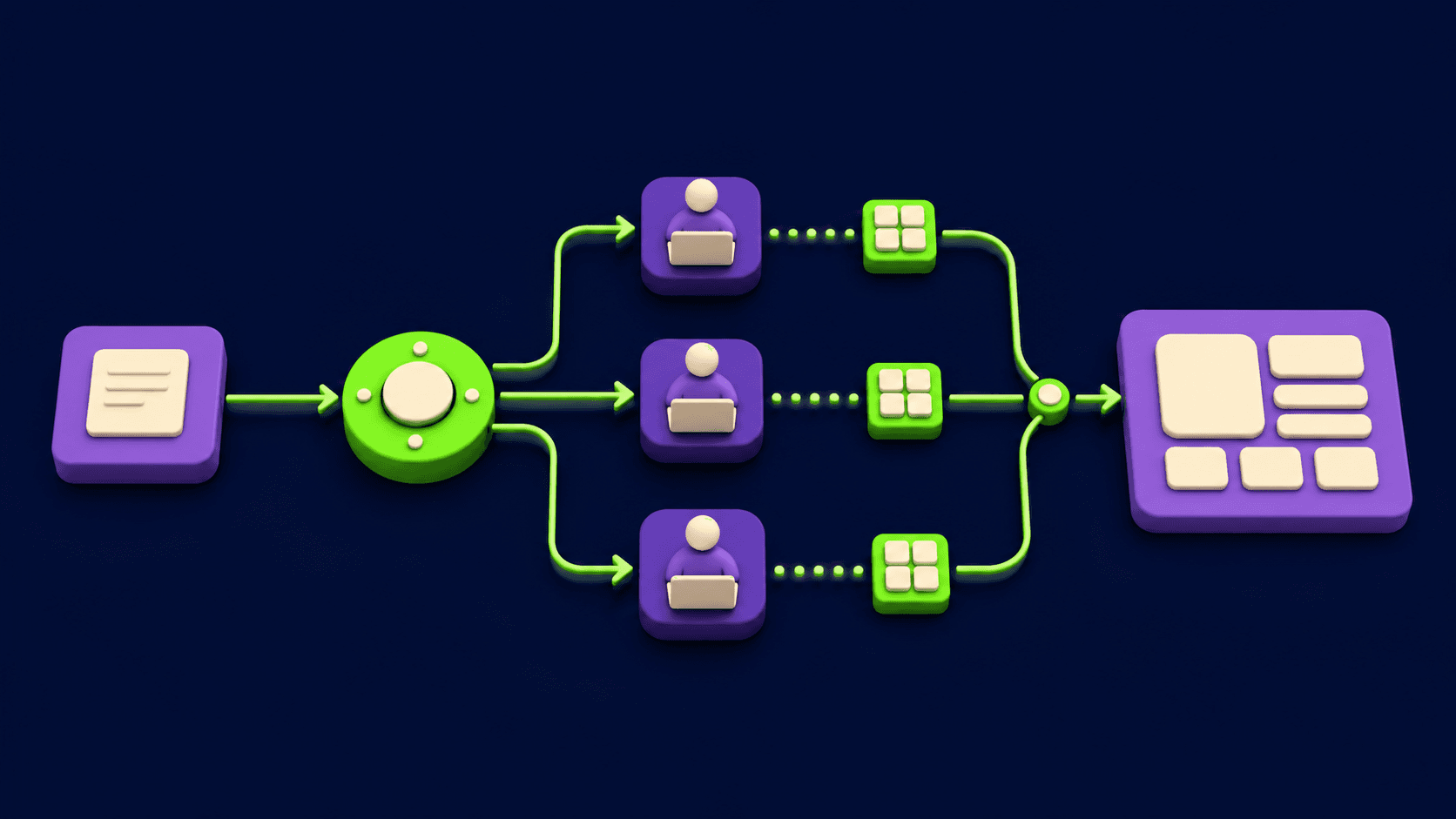
MagicPath 2.0 introduced parallel AI agents: you can spin up multiple agent threads that build different sections of your app simultaneously while a shared design system keeps all output visually consistent. Color palettes, typography scales, spacing tokens, and component styles stay aligned across everything the agents generate. The Chrome extension captures screenshots of any live website and converts them into editable MagicPath frames, giving a fast path for redesign projects. Figma import lets you bring existing design work into the canvas for AI-assisted iteration.
Code export produces React components styled with TypeScript and Tailwind CSS. There is no plain HTML or CSS-only export option, and no Vue or Angular output. This is a firm architectural choice: MagicPath is explicitly built for the React ecosystem. Direct integrations with Cursor and Claude Code allow a design session to feed directly into an engineering agent session without copy-pasting code manually. The tool also generates shareable preview links with no viewer login required, which is useful for async stakeholder review.
"MagicPath (@MagicPathAI) is magical. Vibe designed a mobile app in 2 hours." -- avlok (@avlok), X, June 2025
Where MagicPath sits versus Lovart and v0 by Vercel
The AI design space in 2026 has fragmented into at least three distinct approaches. MagicPath occupies the middle ground between design-agent tools (which generate multi-format brand assets) and code-first generators (which skip design entirely and produce deployable components). Understanding those two poles makes MagicPath's positioning clearer.
Lovart operates as a design agent that runs multi-format output pipelines from a single brief: a social media suite, brand identity system, print packaging, and pitch deck can all emerge from one prompt session using Lovart's "Mind Chain of Thought" reasoning engine. The key mechanical difference is output format diversity. Lovart produces illustrations, brand kits, and multi-channel creative assets, not application UI screens. It also has no persistent brand memory; each Lovart session starts fresh with no concept of your color palette or typographic scale from a previous project. MagicPath, by contrast, maintains a custom design system across every screen generated in a session and focuses entirely on UI rather than brand collateral.
v0 by Vercel generates React, Tailwind, and shadcn/ui components but approaches the problem as a developer tool. v0 outputs copy-pasteable code blocks for direct import into Next.js projects, can search the web and inspect live sites during generation, and deploys to Vercel infrastructure with one click. There is no visual design canvas in v0; the interface is a chat prompt that returns code. MagicPath has no deployment pipeline; once you export code you handle hosting yourself or hand off to an engineer. If you want to see and arrange your UI spatially before committing to code, MagicPath wins that workflow. If you want a working, deployed component in three minutes, v0 is the more direct route.
Two other tools worth knowing against this backdrop: Figma AI lives inside a professional design environment and targets teams that already operate in Figma's ecosystem, meaning it inherits Figma's full vector editing, prototyping, and developer handoff infrastructure but requires Figma fluency to get value. Recraft focuses on brand-consistent image and illustration generation rather than UI screens.
"The interface feels immediately familiar: an infinite canvas, intuitive navigation, and a straightforward prompt-based workflow." -- Birdzhan Hassan, Medium, 2025
The credit and pricing reality
MagicPath uses a credit-consumption model where AI generation and significant design edits deduct from a monthly allowance. Visual edits, code exports, and sharing are free. Credits only burn when you prompt the AI to build or change something.
The free plan gives you 20 credits per day, which sounds reasonable until you run a complex session. One reviewer documented burning 60 credits in three days, 30 building an initial component library and another 30 iterating on it, which represents half a month's free budget consumed in less than a week of active use. Two screens built from scratch cost roughly 10 credits; a single AI refinement prompt costs around 5. A heavy prototyping session for a multi-page app can easily consume 30 to 40 credits in one sitting.
The Pro plan at $21 per month (annual) provides 600 credits, which is significantly more headroom. For most solo designers doing regular work, that is probably adequate for one medium-complexity product prototype per week. Heavy users or agencies will want to factor in the optional credit top-up, which scales from 600 to 3,000 credits per month for an additional $150 per month. The Teams plan moves to annual contracts with 1,000 credits per seat. Pricing is notably more opaque in the Teams and Enterprise tiers; you need to talk to sales to get numbers.
One practical consideration: credits are consumed at generation time. If MagicPath produces output you do not like, you cannot get those credits back. And because the tool has no way to cancel a generation mid-run once you submit a prompt, poorly-worded prompts can burn credits on outputs that miss the mark entirely.
Where MagicPath consistently disappoints
Generation speed is the most commonly cited pain point. Typical generation runs take around two minutes per prompt, and while the July 2025 update improved speed by 40%, complex multi-screen builds still require patience. For tools where rapid iteration is the core value proposition, a two-minute wait between each prompt cycle creates friction that adds up over a long design session.
Canvas performance degrades at scale. Reviewers who built out large design systems with 15 or more component categories reported noticeable slowdowns, with the canvas becoming sluggish and unresponsive. MagicPath's strongest use case is focused, single-product-flow prototyping, not trying to maintain an enterprise-scale component library on a single infinite canvas.
The React-only code export is a hard constraint. No plain HTML, no CSS-only output, no Vue, no Svelte. If your team uses anything other than React, the code export is not usable without conversion work. Some teams use MagicPath purely for visual mockups and ignore the code export entirely, but that removes a key part of the value proposition.
Other friction points documented by reviewers: the image export feature was non-functional in mid-2026 testing. Conversation history is lost on page refresh, breaking longer iterative workflows. Recalling a previously generated component requires the non-obvious `@component_name` syntax that new users consistently miss. And the named AI agents in MagicPath 2.0 (Rune, Atlas) are essentially cosmetic branding on top of generic agent threads; they cannot be assigned specific tasks and do not have meaningfully differentiated capabilities from each other.
Who MagicPath is built for
MagicPath is well matched for solo founders, indie hackers, and early-stage product teams who need to move from idea to a presentable UI prototype quickly without a dedicated designer. The free plan provides enough credits to evaluate the tool seriously before committing. The prompt-to-canvas workflow removes most of the Figma learning curve, and the shareable preview links let non-technical founders share work with investors or customers without any setup friction.
Product designers who already work in Figma will get the most value from MagicPath as a rapid ideation layer. Use it to explore 5 directions before committing to one, then export the winner to Figma for polished execution. The Figma import also enables an "AI redesign" workflow: import existing frames, prompt for variations, compare on canvas, export the winner back to Figma.
Frontend developers working in React ecosystems can use MagicPath to accelerate early-stage prototyping before engineering begins, particularly when paired with Claude Code or Cursor for the transition from design to working code. MagicPath 2.0's GitHub integration makes this loop tighter: connect your repo and the agent generates design against actual component names and data structures in the codebase.
Skip MagicPath if you need a deployed product rather than a prototype. Lovable, Bolt, or v0 will take you further, faster, if shipping is the goal. Skip it if your team's stack is not React. Skip it if you need predictable, flat-rate billing without credit budgeting overhead. And skip it if you need deep vector editing, asset management, or the full professional design system toolchain, where Figma AI is the more complete environment.
User Reviews
No reviews yet. Be the first to share your experience!
Sign in to write a review.
Related articles
Guides and articles related to MagicPath.

Replit Pricing Explained (2026): Core vs Pro and Effort-Based Agent Billing

AI User Testing in 2026: The Tools That Test Your Product While You Sleep

Run a Company With AI Agents: The Open-Source Orchestration Setup (2026)

Wix Logo Maker Review (2026): Real Costs, the Edit Catch, and AI Alternatives
Freepik AI Is Now Magnific: What Changed, What It Costs, and Whether to Stay (2026)