AI Product Photography Prompts That Sell: The E-commerce Playbook (2026)
Product photography has a fixed grammar: clean catalog shots for the product page, lifestyle scenes for the feed, and attention-grabbing creative for ads. Studios charge $30 to $150 per finished image for it. Every current image model can produce all three for pennies, but generic prompts produce generic renders that scream AI. The difference is the formula. This playbook gives you the working prompt structure for each of the three shot types, copyable examples, and an honest answer to when prompts are the wrong tool and you should use a dedicated product-photo generator instead.
Transparency note: some tools linked below pay Vantaige a commission; see our affiliate disclosure.
The three shot types and what each must do
| Shot type | Job | Non-negotiables |
|---|---|---|
| Catalog / PDP | Show the product accurately | Neutral background, true color, no distracting props |
| Lifestyle | Show the product in a life the buyer wants | Believable scene, product still hero, consistent brand light |
| Ad creative | Stop the scroll | One bold idea, product legible at thumbnail size |
The catalog shot formula
Catalog prompting is precision work: you are describing a studio setup, not a mood. The skeleton:
[product, materials, exact color] on [surface] against [background], [lighting setup], [camera angle and lens feel], commercial product photography, true-to-life color, sharp focus on product
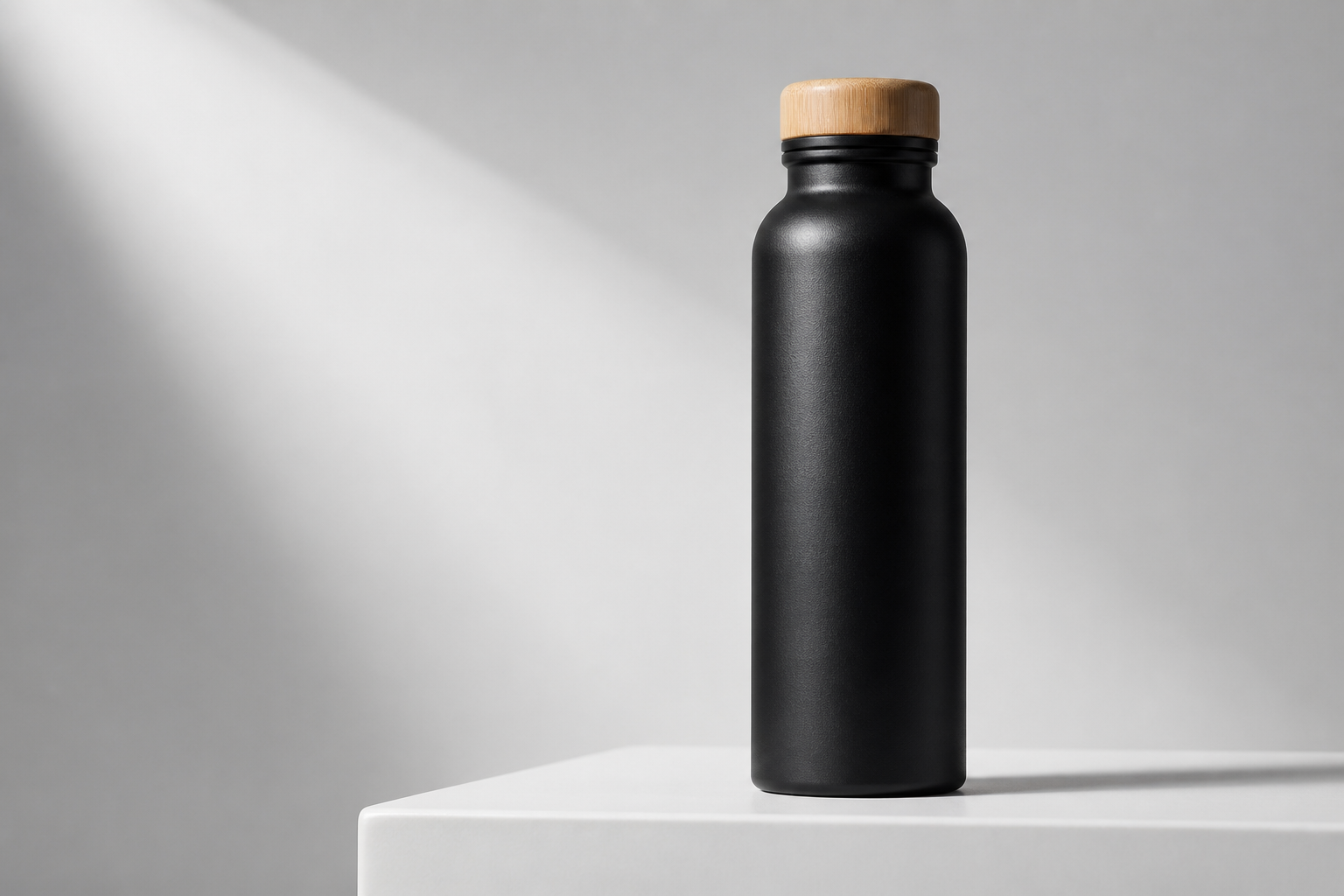
Copyable example: "matte black insulated water bottle with bamboo cap on white acrylic pedestal against seamless light-gray studio background, softbox lighting from upper left with gentle fill, eye-level straight-on shot, commercial product photography, true-to-life color, sharp focus on product". The two phrases doing the heavy lifting: naming the lighting setup (softbox, fill) kills the flat AI look, and "true-to-life color" fights the saturation drift that makes products look different on arrival, the number one driver of returns.
The lifestyle scene formula
Lifestyle shots fail when the scene upstages the product. The skeleton adds scene and story but pins the product as hero:
[product] as the focal point, [person or context interacting naturally], in [specific believable location], [time of day and light], shallow depth of field keeping product sharp, editorial lifestyle photography
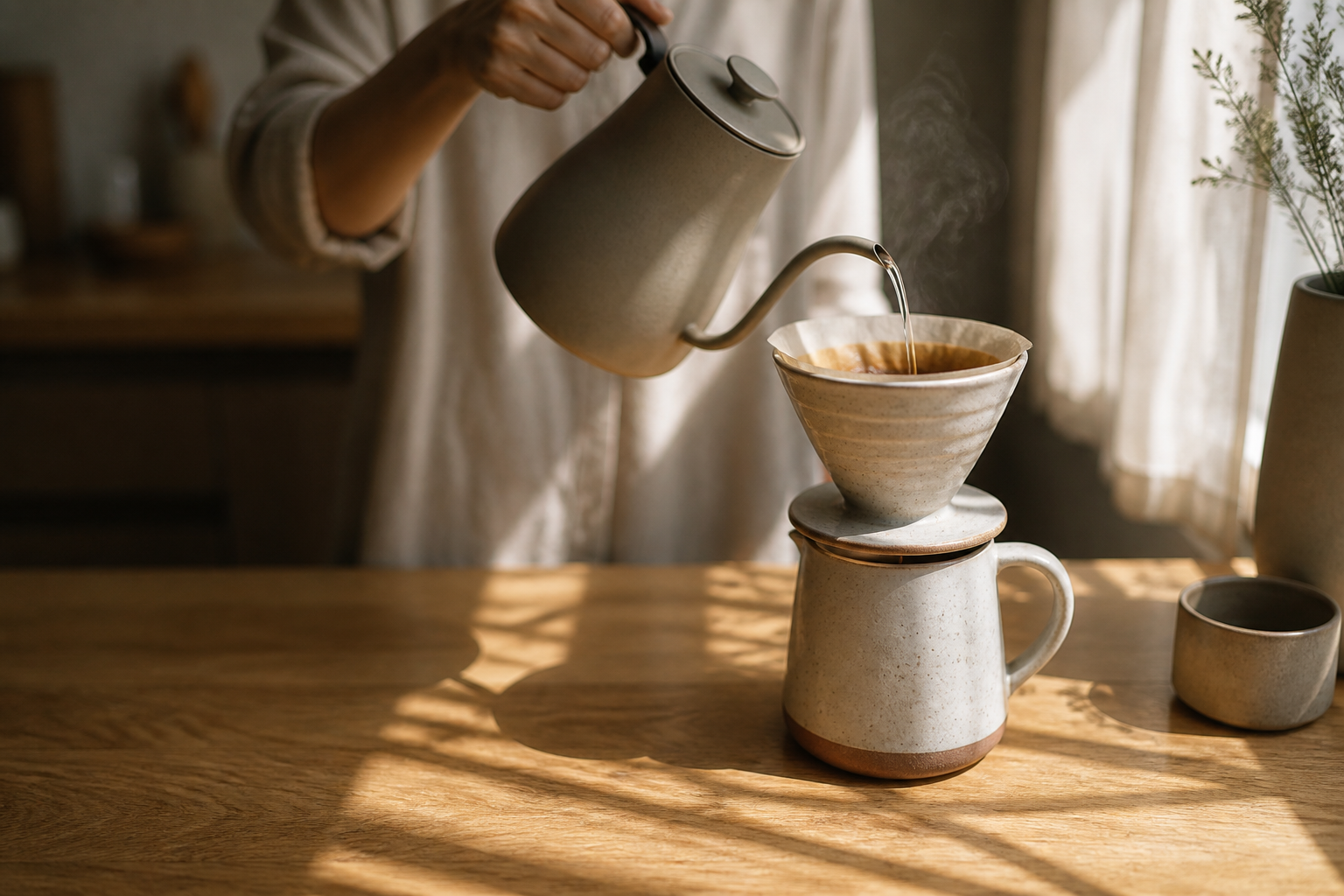
Copyable example: "ceramic pour-over coffee set as the focal point, hands mid-pour, on a sunlit oak kitchen counter with morning window light, linen curtain shadows, shallow depth of field keeping the ceramic set sharp, editorial lifestyle photography". Specificity of place and light is what separates believable from stocky: "sunlit oak kitchen counter with linen curtain shadows" generates a scene; "kitchen" generates a rendering.
The ad creative formula
Ad shots invert catalog rules: one exaggerated idea, maximum thumbnail legibility. Skeleton: [product] [one bold visual concept], [high-contrast palette], centered composition readable at small size, advertising photography. Example: "orange running shoe exploding through a wall of white powder, frozen mid-burst, high-contrast orange on white, centered composition readable at small size, advertising photography". Generate 10 concepts cheap, test as statics, then invest in the winner. The UGC-style variant of ad creative, deliberately imperfect phone-look shots, has its own rules and its own guide: AI UGC ads playbook.
Consistency across a whole catalog: the actual hard part
One good image is easy; forty products photographed in the SAME visual system is the professional-looking part. Three techniques: fix your lighting phrase and reuse it verbatim across every prompt, fix your background and surface phrases the same way, and generate in batches per category so drift shows immediately. This is exactly what our e-commerce and ads prompt collection systematizes: tested prompt families for catalog, lifestyle, and ad formats that share a visual system, each shown with its finished image, $29 one-time. For apparel specifically, where the product must drape on a body, the fashion collection covers on-model work.
When prompts are the wrong tool
Honest boundary: prompt generation approximates your product. It is ideal for props, scenes, and categories where "a matte black bottle like yours" is close enough, and for ad concepts where the idea matters more than SKU fidelity. It is the wrong tool when the output must show YOUR exact product: garments with prints, branded packaging, distinctive shapes. For those, use an upload-based generator that renders your actual photo into new scenes: Uwear for apparel at pay-as-you-go prices, WearView for apparel with a consistent model, or general product-shot tools in our e-commerce tools directory. Logos and fine print remain the weak spot across every engine in 2026: keep real macro shots for detail images.
A workflow that ships a catalog this week
- Lock your visual system: one lighting phrase, one background phrase, one surface phrase. Write them down.
- Generate catalog shots for your top 10 SKUs using the formula, 4 variants each, pick winners.
- Generate 3 lifestyle scenes per hero product with the scene formula.
- Batch 10 ad concepts for your single best seller; test as statics before any video spend.
- Free tooling for step-by-step prompt assembly: our prompt builder outputs formatted prompts for every major image model at no cost.
FAQ
What is the best AI model for product photography in 2026?
For prompt-based product shots, the current image models are all capable of catalog-grade output; the formula and consistency system matter more than the engine. For rendering your exact uploaded product into scenes, use a dedicated upload-based tool rather than prompting.
Can AI product photos replace a studio completely?
For catalog and lifestyle imagery of simple products, largely yes at 2026 quality. Keep real photography for macro detail shots, logo close-ups, and anything where material texture is the selling point.
How do I keep AI product photos consistent across my store?
Reuse identical lighting, background, and surface phrases across every prompt, and generate in category batches so drift is visible immediately. Prompt packs that share one visual system across formats exist precisely for this.
Are AI product images allowed on Shopify and Amazon?
Shopify permits AI imagery. Amazon requires the main image to accurately represent the physical product, so AI-generated main images of an approximated product are a compliance risk there; lifestyle and secondary images are safer ground. Check current policy per marketplace.
How much does AI product photography cost?
Generation runs pennies to about a dollar per image depending on model and resolution as of August 2026, plus your time. Against $30 to $150 per studio shot, the economics favor AI for everything except the detail shots that still need a camera.
References
Get the best new AI tools and guides, weekly
One short email a week. The tools worth trying, the guides worth reading, nothing else.
No spam. Unsubscribe anytime.
Aymen B
Contributing writer at Vantaige, covering the AI tools ecosystem.
Similar articles
Buy, Don’t Build - Until Receipts Are Mandatory (2026): Menlo’s 76% Purchased Flip and EU AI Act Article 50
GEO After the Rankings Divorce (2026): Why Only 37.9% of AI Overview Cites Are Top-10 Pages