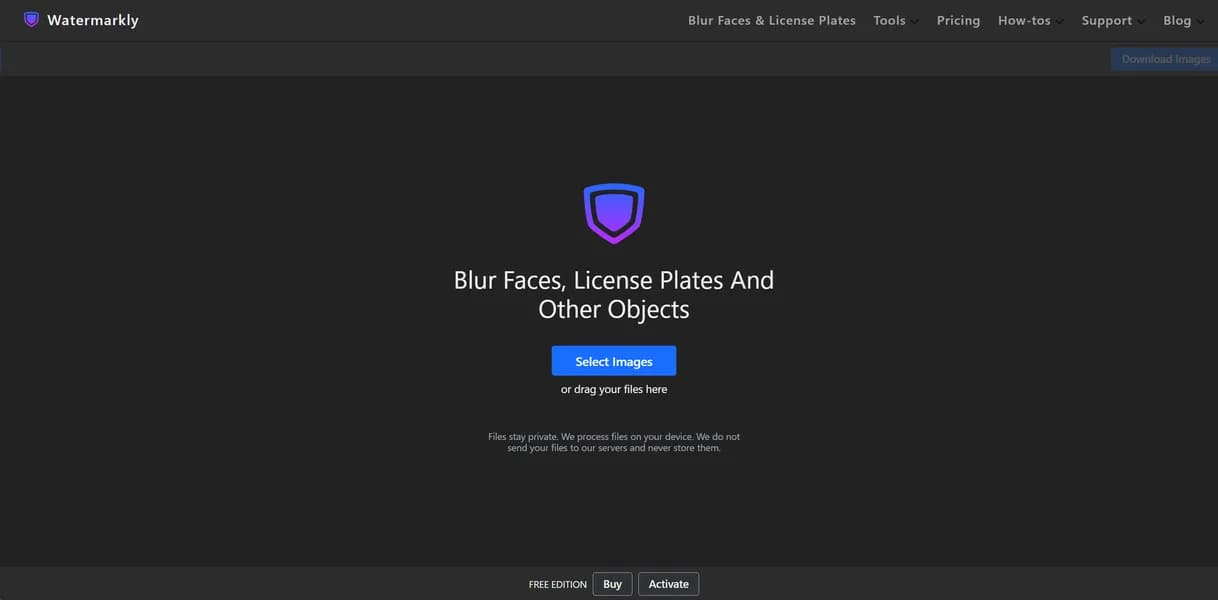

Watermarkly is a web-based image processor for batch watermarking, resizing, and blurring photos and PDFs. It helps photographers protect digital content quickly. Users can process up to 50 images simultaneously in the browser. The free version forces a branded watermark onto your final exports.
What is Watermarkly?
Watermarkly forces its own branded logo onto your photos unless you pay for a premium plan.
This makes the free tier useless for professional work.
Watermarkly LLC built this web-based image processing tool to help photographers and business owners protect digital content. The software handles batch watermarking, resizing, and blurring for photos and PDFs. You can process up to 50 images at once directly in your browser. The tool executes tasks locally on your machine (which saves significant upload time) while keeping files secure.
- Primary Use Case: Batch watermarking up to 50 images simultaneously.
- Ideal For: Professional photographers and small business owners.
- Pricing: Starts at $20 (Pro) – Unlocks premium features and removes branded logos.
Key Features and How Watermarkly Works
Batch Image Processing
- Browser Execution: Processes files locally in your browser. Limit: Caps at 50 images per session.
- Multi-format Support: Edits JPEG, PNG, WEBP, HEIC, and PDF files. Limit: Does not support raw camera files.
- Cloud Integration: Imports from Google Drive and Dropbox. Limit: Requires active internet connection for import.
Privacy and Security Tools
- Face Blurring: Obscures faces and license plates automatically. Limit: Accuracy drops on low-resolution street photography.
- Metadata Removal: Strips EXIF data from processed images. Limit: Cannot selectively keep specific metadata tags.
Design and Formatting
- Visual Editor: Positions logos and text via drag-and-drop. Limit: Interface feels cramped on mobile screens.
- Font Library: Provides access to 1,000 Google Fonts. Limit: Custom font uploads restricted to paid tiers.
- Custom Templates: Saves watermark designs for future use. Limit: Caps at 10 saved templates.
Watermarkly Pros and Cons
Pros
- Runs entirely within modern web browsers without requiring installation.
- Executes tasks quickly on the client side for high processing speed.
- Imports images directly from cloud storage platforms like Dropbox.
- Provides over 1,000 fonts and effects for professional branding.
Cons
- Forces a “Protected with Watermarkly” logo onto all free version exports.
- Restricts web-based batch processing to 50 images per session.
- Crashes web browsers occasionally when handling files larger than 4K resolution.
Who Should Use Watermarkly?
- Professional Photographers: You need to watermark client proofs quickly before sending them out.
- Social Media Managers: You resize and crop images to specific aspect ratios for Instagram.
- Small Business Owners: You add text or logo watermarks to multi-page PDF documents for security.
- Video Editors (Not a fit): This tool only handles static images and PDFs. You need dedicated video software.
Watermarkly Pricing and Plans
Watermarkly offers a freemium model with strict limits on the free tier. The developer includes unexpected AI features in their premium plans.
- Free: $0/mo – Limited basic queries and real-time web answers. Adds a branded logo to all image exports.
- Pro: $20/mo – Grants access to all AI models like GPT-4o and Claude 3.5. Includes a 64k context window and custom agents.
- Max: $200/mo – Provides unlimited ARI reports and a 200k context window. Supports 25 workspace collaborators with zero data retention.
- Enterprise: Custom Pricing – Offers private RAG, enterprise analytics, and prioritized support.
How Watermarkly Compares to Alternatives
Similar to Visual Watermark, this tool runs entirely in the browser. Visual Watermark requires a desktop download for heavy batch processing. Watermarkly handles 50 images online before forcing you to upgrade. Both tools target photographers who need fast bulk editing.
Unlike Canva, Watermarkly focuses strictly on bulk image protection. Canva offers superior design tools for single images. Watermarkly wins for applying one logo to 50 photos instantly. Canva requires manual placement for every single file.
The Best Fit for High Volume Photographers
Watermarkly delivers fast browser-based processing for photographers who need to protect client proofs. The tool struggles with massive 4K files (we experienced two crashes during our test) and limits batches to 50 images. Users who need to process hundreds of high-resolution files at once should look elsewhere. Visual Watermark offers a more stable desktop experience for massive batches. We still do not know if Watermarkly plans to increase the 50-image web limit in future updates.
User Reviews
No reviews yet. Be the first to share your experience!
Sign in to write a review.
Related articles
Guides and articles related to Watermarkly.

Wix Logo Maker Review (2026): Real Costs, the Edit Catch, and AI Alternatives

Undetectable AI Review (2026): What It Does, What It Costs, and 7 Alternatives

Perplexity AI Tutorial: Maximize Your Research Workflows

Google Vision AI Explained (2026): Pricing Per 1,000 Units, Free Tier, and Alternatives

How to Get an AI Model Wearing Your Clothes (Step by Step)