The Orchestrator-Worker n8n Template: One Workflow, Six AI Agents (2026)

The Orchestrator-Worker n8n Template: One Workflow That Runs a 6-Agent Pipeline (2026)
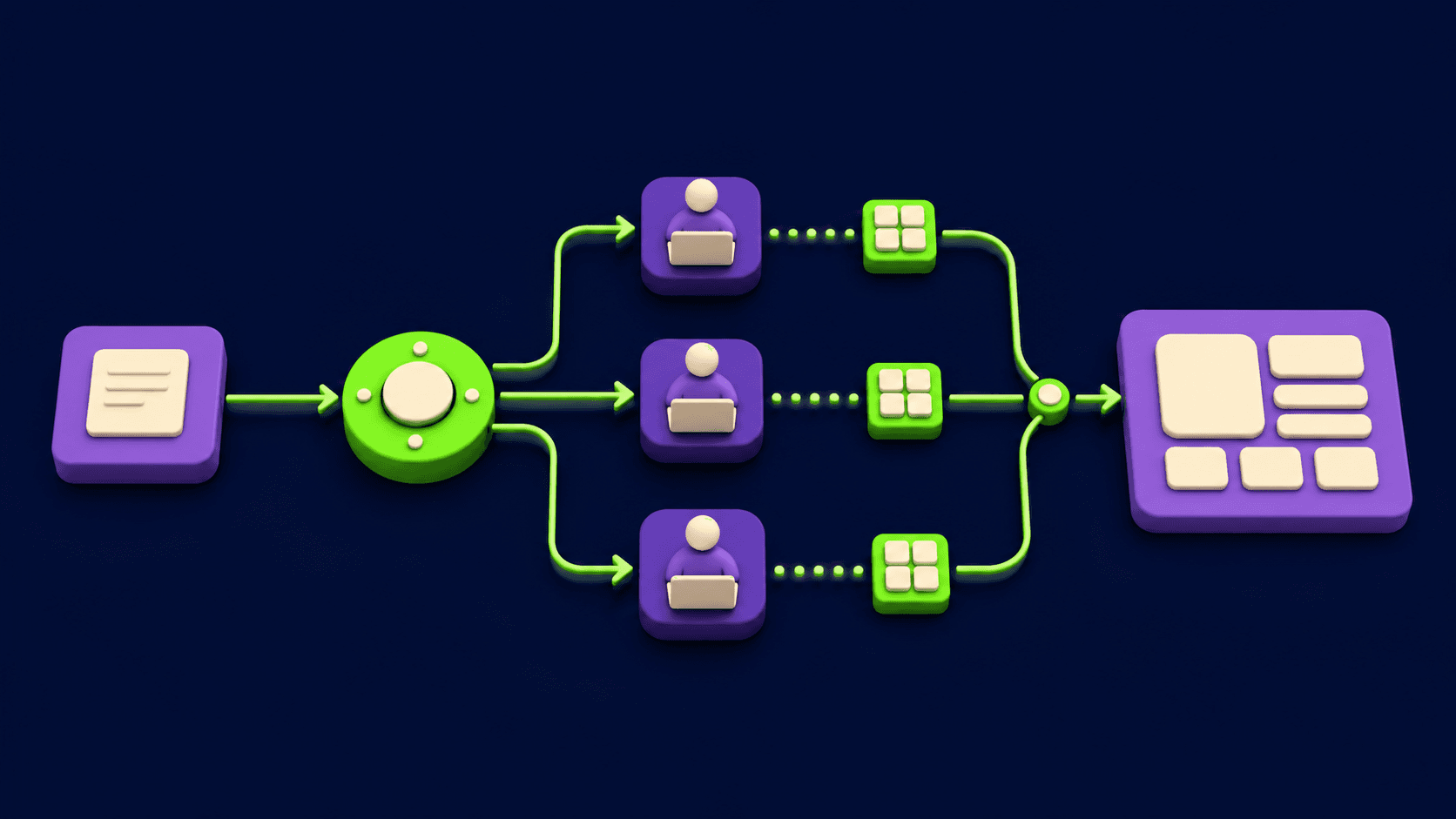
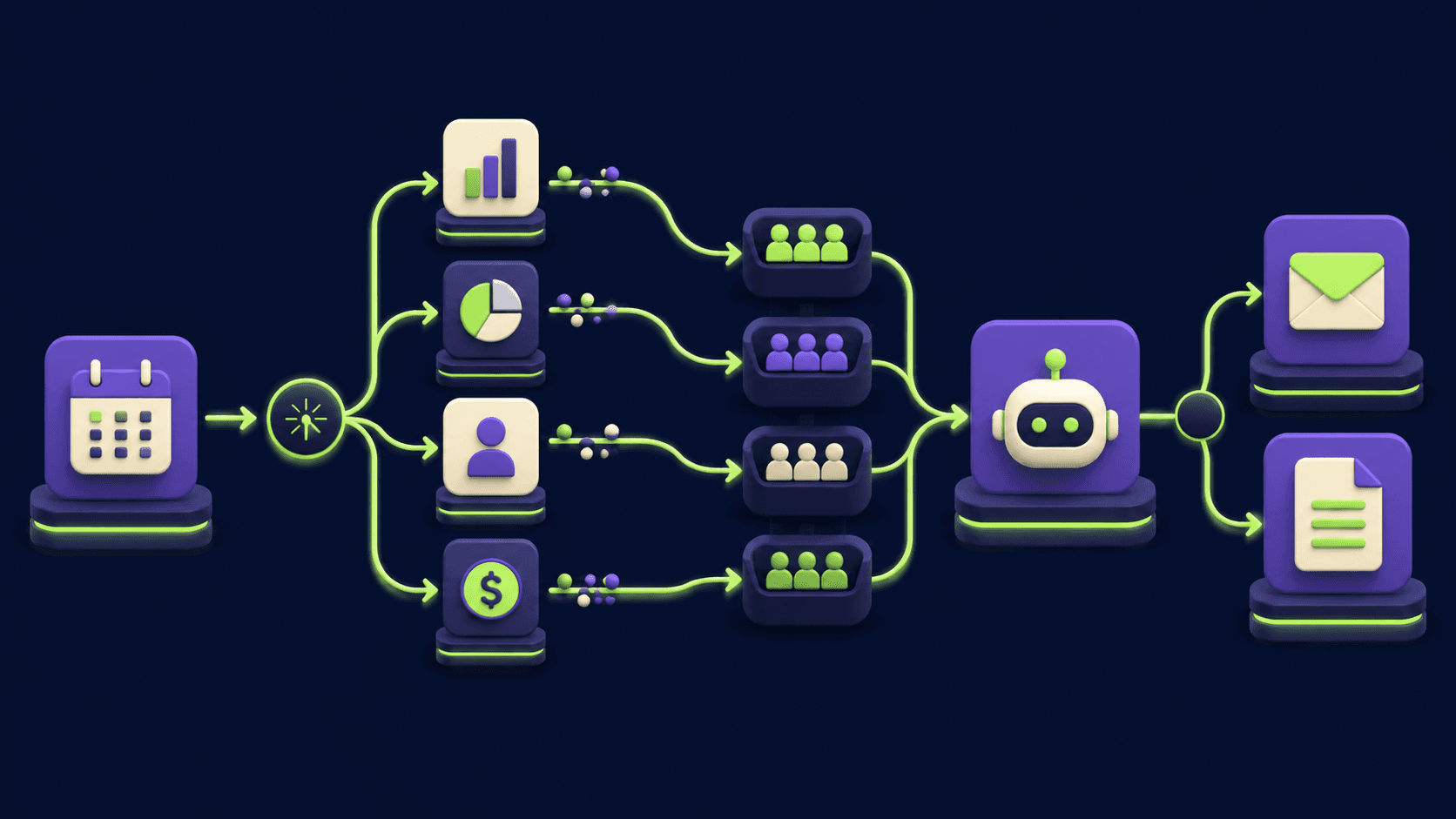
An n8n orchestrator workflow is a single parent workflow where one AI planner node reads a task, decides which specialist sub-workflows to run, and dispatches each step to its own Execute Sub-workflow node before merging the results. You build it with real n8n nodes: an AI Agent for planning, six Execute Sub-workflow calls for the workers, a Merge node to recombine, and Set and IF nodes for routing. This guide gives you the exact graph, the orchestrator prompt, and the routing JSON so you can wire a research, draft, review, format, publish, notify pipeline that runs end to end from one trigger.
What is the orchestrator-worker pattern in n8n?
The orchestrator-worker pattern is an architecture where a central planner agent breaks a task into subtasks and delegates each one to a specialist worker, then combines the outputs. In n8n it maps cleanly: the orchestrator is an AI Agent node, each worker is a separate workflow called through Execute Sub-workflow, and a Merge node recombines the branches. Anthropic describes this as one of the core 2026 multi-agent patterns, distinct from a fixed prompt chain because the planner decides the steps at runtime instead of them being hard-wired.
The value is separation. Each worker owns one job, one prompt, one set of credentials, and one failure surface. You can test the "review" worker in isolation, swap its model, or rate-limit it without touching the other five. The orchestrator never does the work itself. It only plans, dispatches, and assembles. For the broader theory of when this beats sequential or parallel agents, see the companion piece linked in the related section.
TL;DR
One parent workflow, one AI planner, six worker sub-workflows.
Planner emits routing JSON; Execute Sub-workflow runs each worker.
Merge node recombines all six branches into one payload.
Workers: research, draft, review, format, publish, notify.
Each worker is independently testable and swappable.
By <your real name>, Founder at Vantaige. Published 2026-05-19. 14 min read. Last reviewed 2026-05-19.
Why use one workflow instead of six separate ones?
You use one orchestrator workflow because state, retries, and observability collapse into a single execution instead of being scattered across six disconnected runs. When the planner, the six workers, and the merge all live under one parent execution, n8n shows you a single execution log with every branch nested inside it. One trigger, one trace, one place to debug.
Six standalone workflows force you to pass data through queues, webhooks, or a database table just to keep them in sync. The orchestrator pattern keeps the worker sub-workflows modular while the parent holds the plan and the merged result. n8n explicitly recommends sub-workflows for this: they let you build modular, microservice-like pieces and they help when a single workflow grows large enough to hit memory limits, per the n8n sub-workflows documentation [1].
The trade is one extra design decision: the orchestrator must produce a structured plan the rest of the graph can read. That is the routing JSON, covered below. Get that contract right and the six workers become interchangeable parts.
Which n8n nodes does the orchestrator-worker template use?
The template uses six real n8n node types: AI Agent for the planner, Execute Sub-workflow for each worker call, Execute Sub-workflow Trigger inside each worker, Merge to recombine branches, Set (Edit Fields) to shape the payload, and IF to skip workers the plan excludes. Every node here ships in core n8n or the LangChain cluster nodes. None are invented.
AI Agent. The orchestrator. It reads the task, runs the planner prompt, and outputs the routing JSON. Node docs: n8n-nodes-langchain.agent [2].
Execute Sub-workflow. One per worker. It calls the worker workflow, passes inputs, and waits for the result. Supports "Run once for all items" or "Run once for each item", plus a "Wait for Sub-Workflow Completion" toggle [3].
Execute Sub-workflow Trigger. The entry node inside each worker. It receives the input the orchestrator sends [4].
Merge. Recombines the six worker branches. Since n8n 1.49.0 it accepts more than two inputs [5].
Set / Edit Fields. Builds the input object for each worker from the planner's JSON.
IF. Branches on whether the plan includes a given worker, so optional steps can be skipped [6].
If your n8n version labels a node differently (older builds showed "Execute Workflow" rather than "Execute Sub-workflow"), check current n8n node docs for the exact label in your install. The underlying node type string is n8n-nodes-base.executeworkflow.
What does each of the six workers do?
Each worker is a single-purpose sub-workflow with one job, one input shape, and one output shape. The orchestrator decides which workers run and in what order; the workers never call each other. The table below is the contract every worker in this template honors.
Worker | Input | Output | Primary node type |
|---|---|---|---|
1. Research | topic, audience, depth | sources[], key facts[] | AI Agent + HTTP Request |
2. Draft | topic, facts[], outline | draft body (markdown) | AI Agent |
3. Review | draft body, rubric | issues[], pass/fail flag | AI Agent |
4. Format | approved draft | clean HTML payload | Set + Code (optional) |
5. Publish | HTML payload, target | published URL, status | HTTP Request |
6. Notify | URL, status, channel | delivery receipt | HTTP Request |
Two design rules keep this stable. First, every worker returns a flat object with a worker key and a status key so the Merge node and any downstream IF can route on them. Second, the Research and Publish workers are the only ones touching the network, so credentials and rate limits stay isolated to two sub-workflows instead of leaking across all six.
How do you build the orchestrator workflow step by step?
You build it in three layers: the worker sub-workflows first, then the parent planner, then the dispatch and merge wiring. Build the workers first because the parent's Execute Sub-workflow nodes need real workflow IDs to point at. Each step below states what success looks like before you move on.
1. Create six sub-workflows. New workflow, add an Execute Sub-workflow Trigger as the first node, then the worker's logic (an AI Agent for research/draft/review, an HTTP Request for publish/notify). End each with a Set node that outputs
{ "worker": "research", "status": "ok", "data": {...} }. Success: running the sub-workflow alone with pinned test input returns that shape.2. Note each workflow ID. Open each saved sub-workflow and copy its ID from the URL. You will paste these into the parent. Success: you have six IDs written down.
3. Create the parent workflow. Add your trigger (Manual Trigger for testing, or a Webhook / Schedule trigger in production). Success: the trigger fires and passes a task object like
{ "topic": "...", "audience": "...", "target": "..." }.4. Add the orchestrator AI Agent. Drop an AI Agent node after the trigger. Paste the orchestrator prompt from the next section into its system message. Attach a chat model sub-node. Set the agent to return only JSON. Success: a manual execution outputs valid routing JSON, not prose.
5. Parse the plan. Add a Set (Edit Fields) node that reads the agent's JSON output and exposes
stepsas a usable field. If your model wraps JSON in text, add a small Code node toJSON.parsethe first{...}block. Success:{{ $json.steps }}resolves to an array.6. Add six Execute Sub-workflow nodes. One per worker. In each, set Source to "Database", pick the worker by its ID from step 2, and map the worker's input from the plan (for example the Draft node's input =
{{ $json.steps.draft.input }}). Keep "Wait for Sub-Workflow Completion" on so the parent has the result before merging [3]. Success: running one branch alone returns that worker's output object into the parent.7. Gate optional workers with IF. Before each non-mandatory Execute Sub-workflow (for example Notify), add an IF node testing
{{ $json.steps.notify.enabled }} === true. The false branch skips straight to Merge. Success: a plan with notify disabled does not call the notify sub-workflow.8. Recombine with Merge. Add a Merge node. Since n8n 1.49.0 it takes more than two inputs, so wire all six worker branches into it [5]. Use "Combine" mode keyed on the
workerfield, or "Append" if you just want all results stacked. Success: the Merge output contains one entry per worker that ran.9. Shape the final output. Add a closing Set node that builds the response: the published URL, the overall status, and the per-worker statuses. Success: one execution, one trace, one merged payload.
For a fuller walk-through of wiring n8n into an agentic stack and giving Claude Code direct control of n8n, the MCP setup guide linked below pairs well with this build.
What does the orchestrator prompt and routing JSON look like?
The orchestrator prompt instructs the planner to output a single JSON object describing which workers to run, their order, and the input each one receives. The rest of the graph reads only that JSON, so the contract has to be exact and the agent must return nothing but the object. Below is the system prompt and the structure the planner emits.
SYSTEM PROMPT (paste into the AI Agent system message)

You are the Orchestrator. You do not perform tasks yourself.
You receive one task object and produce a PLAN.

Available workers (call only what the task needs):
  research  - gathers sources and facts. Input: { topic, audience, depth }
  draft     - writes the first draft.    Input: { topic, facts, outline }
  review    - checks the draft.          Input: { draft, rubric }
  format    - converts to clean HTML.    Input: { draft }
  publish   - publishes the payload.     Input: { html, target }
  notify    - sends a status message.    Input: { url, status, channel }

Rules:
- Output ONE JSON object. No prose, no markdown fences, no commentary.
- "order" lists worker names in the sequence they must run.
- For each worker include "enabled" and a fully-formed "input".
- Set enabled=false for any worker the task does not require.
- Do not invent worker names. Use only the six above.

Task object:
{{ $json }}

Return the plan now.

----------------------------------------------------------------

PLAN THE AGENT EMITS (read by the Set node, then the dispatch nodes)

{
  "order": ["research", "draft", "review", "format", "publish", "notify"],
  "steps": {
    "research": {
      "enabled": true,
      "input": { "topic": "n8n orchestrator workflow",
                 "audience": "developers", "depth": "thorough" }
    },
    "draft": {
      "enabled": true,
      "input": { "topic": "n8n orchestrator workflow",
                 "facts": "{{FROM_RESEARCH}}", "outline": "how-to" }
    },
    "review": {
      "enabled": true,
      "input": { "draft": "{{FROM_DRAFT}}", "rubric": "accuracy,clarity" }
    },
    "format": {
      "enabled": true,
      "input": { "draft": "{{FROM_REVIEW_APPROVED}}" }
    },
    "publish": {
      "enabled": true,
      "input": { "html": "{{FROM_FORMAT}}", "target": "blog-staging" }
    },
    "notify": {
      "enabled": false,
      "input": { "url": "{{FROM_PUBLISH}}",
                 "status": "draft", "channel": "slack" }
    }
  }
}
The {{FROM_RESEARCH}} style tokens are placeholders. In the real graph you do not let the planner hallucinate downstream data. The orchestrator only sets the static inputs (topic, audience, target). Each Execute Sub-workflow node fills the dynamic fields from the previous worker's actual output using an n8n expression, for example the Draft node maps facts to {{ $('Research').item.json.data.facts }}. The planner decides the route; n8n moves the real data between branches.
How do you pass data between the orchestrator and workers?
Data flows in through the Execute Sub-workflow node's input mapping and back through its return, with "Wait for Sub-Workflow Completion" enabled so the parent blocks until the worker finishes. The parent sends an input object; the worker's Execute Sub-workflow Trigger receives it; the worker's final Set node returns a flat result the parent reads with $('NodeName').item.json.
Three rules keep this clean. Map only what a worker needs, not the whole parent payload, so each sub-workflow stays decoupled. Return a flat, predictable object from every worker (worker, status, data) so the Merge node and any IF can branch without guesswork. And keep "Run once for all items" versus "Run once for each item" deliberate: use "all items" for a single task, "each item" only when you genuinely fan out over a list [3]. The n8n sub-workflows docs cover how data passes between the two layers in detail [1].
What are the common mistakes building an n8n multi-agent workflow?
The common mistakes are letting the planner return prose instead of JSON, skipping the completion wait, merging on the wrong key, and giving every worker the same credentials. Each one breaks the pipeline quietly, so name and fix them before you scale.
Planner returns prose, not JSON. The Set node then fails to parse and every downstream branch gets undefined. Fix: instruct "Output ONE JSON object, no prose, no fences" in the system prompt, and add a Code node that extracts the first
{...}if your model still wraps it.Completion wait turned off. The parent races ahead and Merge fires before workers return. Fix: keep "Wait for Sub-Workflow Completion" on for every worker that feeds the merge [3].
Merging on the wrong key. Combine mode keyed on a field workers do not all return produces empty or duplicated rows. Fix: every worker returns a
workerkey; merge on that, or use Append if order does not matter [5].Shared credentials across workers. One leaked token compromises all six. Fix: scope credentials to the Research and Publish sub-workflows only, since they are the only ones touching the network.
Planner inventing worker names. The dispatch nodes have no matching ID and the branch dead-ends. Fix: the prompt lists the six allowed names and says "Do not invent worker names."
One giant workflow instead of sub-workflows. You lose isolation and hit memory pressure. Fix: keep each worker its own workflow, which is exactly the modular structure n8n recommends [1].
When should you not use the orchestrator-worker pattern?
Do not use it when the task is a fixed linear sequence with no branching decisions, because a plain prompt chain is simpler, cheaper, and easier to debug. If every run does research then draft then publish with no conditional steps, you do not need a planner deciding the route. Hard-wire the chain instead.
Also skip it for single-step jobs (one AI Agent node is enough), and for ultra-low-latency paths where the extra planner call adds a round trip you cannot afford. The orchestrator earns its cost when tasks vary, when steps are conditional, or when you need workers you can test and swap independently. The companion concept article breaks down sequential versus parallel versus orchestrator selection in more depth, linked below.
FAQ
What is an n8n orchestrator workflow?
An n8n orchestrator workflow is a parent workflow where one AI Agent node plans a task and dispatches subtasks to specialist sub-workflows through Execute Sub-workflow nodes, then merges the results with a Merge node. The orchestrator only plans and assembles; the workers do the actual work. It runs from a single trigger and produces one execution trace covering every branch.
Which n8n node calls a sub-workflow?
The Execute Sub-workflow node calls another workflow from a parent workflow, with the type string n8n-nodes-base.executeworkflow. Inside the called workflow, the Execute Sub-workflow Trigger node receives the input. Some older n8n builds labeled the parent node "Execute Workflow"; check your install's node panel for the exact current label, but the type string is unchanged.
How many workers can one n8n orchestrator have?
There is no fixed n8n limit on worker count; the practical ceiling is the Merge node's inputs and your instance memory. Since n8n 1.49.0 the Merge node accepts more than two inputs, so a six-worker fan-in is straightforward. Beyond roughly a dozen branches, consider grouping workers into stage sub-workflows so the parent graph stays readable.
Does the orchestrator wait for workers to finish?
Yes, if you enable "Wait for Sub-Workflow Completion" on each Execute Sub-workflow node. With it on, the parent blocks until that worker returns its result, which is required when the worker feeds a downstream Merge or IF. With it off, the parent continues immediately and the worker runs detached, which suits fire-and-forget steps like notify.
Can the planner call workers in a different order per task?
Yes. That is the point of the pattern. The AI Agent emits an order array and an enabled flag per worker, so one task can run research then draft then publish while another skips research entirely. The n8n graph reads that plan and gates each Execute Sub-workflow with an IF node, so unselected workers never run.
Do all six workers need their own AI model?
No. Only the workers that reason need a model. In this template the research, draft, and review workers attach a chat model sub-node; the format, publish, and notify workers use Set, HTTP Request, and Code nodes with no model at all. Keeping non-reasoning steps model-free cuts cost and removes a failure surface.
Can Claude Code or an MCP server drive this n8n workflow?
Yes. An MCP server can expose the parent workflow's webhook trigger as a tool, letting Claude Code invoke the whole six-agent pipeline with one call and read back the merged result. The n8n MCP setup guide linked in the related section walks through wiring n8n to Claude Code so an agent can trigger and inspect these workflows directly.
What trigger should the parent workflow use?
Use a Manual Trigger while building and testing, then switch to a Webhook trigger for on-demand external calls or a Schedule trigger for recurring runs. The trigger only needs to deliver the task object (topic, audience, target). Everything after it, the planner and the six workers, stays identical regardless of which trigger fires it.
Does this pattern increase token cost?
It adds one planner call per task on top of the worker calls, so cost rises by roughly that one orchestrator inference. You recover it by setting enabled=false for workers a task does not need, so a simple task running three of six workers can cost less than a rigid chain that always runs all steps.
Can workers run in parallel instead of in sequence?
Yes, for independent workers. If two workers have no data dependency, wire both Execute Sub-workflow nodes off the same upstream node so n8n runs the branches concurrently, then join them at the Merge node. Keep dependent workers (draft needs research, review needs draft) sequential. The plan's order array documents which is which.
Related from Vantaige
Orchestrator-Workers: The Multi-Agent Pattern That Actually Scales (2026). The concept behind this build: when orchestrator beats sequential or parallel.
n8n MCP + Claude Code Setup Guide (2026). Wire n8n to Claude Code so an agent can trigger and inspect these workflows.
Claude Code Subagents: 3 Patterns That Save Context. The subagent equivalent of workers, for context isolation.
Fix: MCP Server stdout Corruption (No Tools in Claude). Debug the MCP layer if Claude cannot see your n8n trigger tool.
Agent 365 vs Claude Managed Agents: Cost Comparison (2026). Sizing the cost of multi-agent pipelines before you scale.
References
[1] n8n Docs: Sub-workflows (docs.n8n.io)
[2] n8n Docs: AI Agent node (docs.n8n.io)
[3] n8n Docs: Execute Sub-workflow node (docs.n8n.io)
[4] n8n Docs: Execute Sub-workflow Trigger node (docs.n8n.io)
[5] n8n Docs: Merge node (docs.n8n.io)
[6] n8n Docs: If node (docs.n8n.io)
[7] n8n Docs: Merging data (docs.n8n.io)
[8] n8n Docs: Call n8n Workflow Tool node (docs.n8n.io)
Get the best new AI tools and guides, weekly
One short email a week. The tools worth trying, the guides worth reading, nothing else.
No spam. Unsubscribe anytime.
Aymen B
Contributing writer at Vantaige, covering the AI tools ecosystem.