
Ditch premium subscriptions for meeting notes. This free open-source alternative records Google Meet in silence without annoying bots, but skips Zoom support.
What is Amurex?
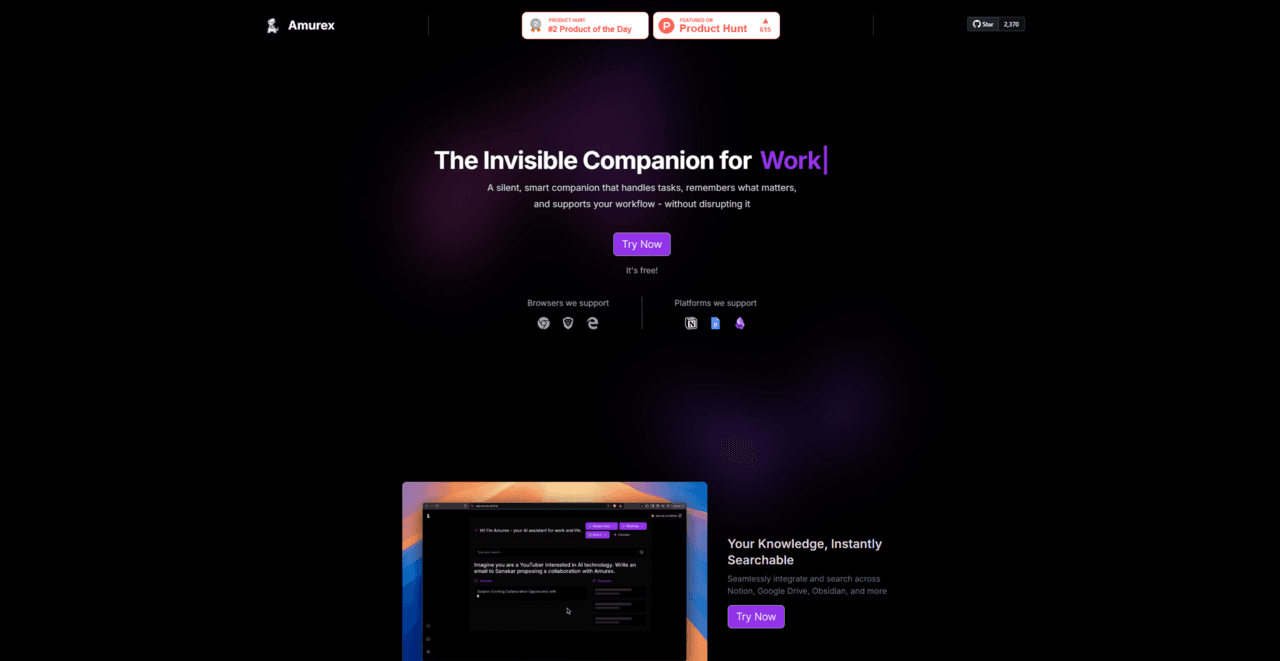
Unlike standard meeting assistants that announce themselves by joining your call as a visible bot, this open-source tool records audio in the background. Built by The Personal Artificial Intelligence Company, Amurex solves the dual problem of scattered meeting notes and fragmented file searches. It targets technical professionals and privacy advocates who want strict control over their data. You install a Chrome extension, connect your accounts, and the software begins reading your screen context on its own.
- Primary Use Case: Silent background meeting transcription and unified personal knowledge search.
- Ideal For: Technical professionals and privacy advocates comfortable with open-source software.
- Pricing: Starts at $0 (Free open-source). This skips the monthly fees of standard commercial alternatives.
Key Features and How Amurex Works
Most productivity extensions handle one specific task.
Amurex bundles several distinct tools into a single browser interface.
Silent Meeting Capture
- Invisible Recording: The extension records audio from your browser tab during Google Meet or Microsoft Teams calls. It never appears as a participant in the meeting list.
- Late Join Recap: The tool generates a text summary of missed discussions if you enter a meeting late. (I found this feature useful after arriving five minutes late for a morning sync).
- Real-Time Suggestions: The interface provides active prompts during the conversation to help you answer questions with precision.
Privacy and Local Hosting
- Docker Deployment: You can host the application yourself using Docker containers. This ensures your meeting transcripts never leave your own server hardware.
- Local Model Inference: The software supports Ollama and fast-embed integrations. This eliminates the need to pay for OpenAI API credits.
Unified Search and Automation
- Cross-Platform Indexing: You can search across Google Drive, Notion, and Obsidian from one unified text box.
- Email Categorization: The tool sorts incoming messages in silence based on priority.
- One-Click Follow-Ups: You can generate post-meeting emails with one click using the context captured from the transcript.
Amurex Pros and Cons
Pros
- Provides an open-source Docker deployment option for users who demand strict data privacy.
- Records Google Meet conversations in silence without intrusive external bots joining the call.
- Features a late join recap that generates text summaries of missed discussions upon arrival.
- Cuts API costs to zero by supporting local model execution through Ollama.
Cons
- Lacks native integration for Zoom and Webex, which restricts usage for enterprise teams.
- Forces users to navigate complex Docker documentation to achieve a self-hosted setup.
- Requires heavy computer processing power to run local Ollama models without lag.
- Fails to function on mobile devices due to its strict reliance on a Chrome browser extension.
Who Should Use Amurex?
Which brings us to the actual user base. This tool requires a specific workflow to function.
- Privacy Advocates: Users who refuse to let third-party corporations analyze their internal company meetings.
- Budget-Conscious Freelancers: Solo workers who want AI transcription without paying thirty dollars a month.
- Heavy Google Workspace Users: Professionals who spend their day inside Chrome, Google Meet, and Google Drive.
- Technical Tinkerers: Developers who enjoy setting up Docker containers and running their own local language models.
- Zoom-Reliant Enterprise Teams: This group should avoid Amurex. The lack of native Zoom support makes it useless for companies outside the Google or Microsoft environments.
Amurex Pricing and Plans
Pricing for this software operates on a different model than standard commercial applications. The core product is free.
You pay exactly $0 per month for the Free plan. This tier includes unified search, context-aware prompts, and full open-source access. But. You must account for hidden infrastructure costs. If you choose to self-host the application using Docker, you will pay for your own server hosting. Plus. Running local models via Ollama requires significant local processing power. (Your laptop fans will spin up during a long transcription).
So. You trade subscription fees for hardware requirements. There are no artificial usage caps or seat restrictions.
You can process as many meetings as your computer can handle.
How Amurex Compares to Alternatives
Similar to Otter.ai, Amurex generates meeting transcripts and action items. The catch: Otter joins your calls as a visible participant bot. Amurex records through the browser extension without alerting participants. If you meet daily with sensitive clients who dislike visible recording bots, Amurex offers a quieter approach.
Unlike Fireflies.ai, this open-source option lacks broad native integrations across dozens of video conferencing platforms. Fireflies connects to Zoom, Webex, and RingCentral. Amurex limits its focus to Google Meet and Microsoft Teams via the Chrome browser. Here is where it gets interesting. Fireflies forces you into their cloud servers, while Amurex lets you keep all data local.
Fathom provides another free alternative for personal meeting recording. Still. Fathom processes your data on their servers and primarily focuses on video clipping. Amurex abandons video capture to prioritize text, unified file search, and local data ownership.
Is Amurex Worth It for Privacy-Focused Professionals?
Amurex provides immense value for technical users who prioritize data ownership above convenience. Solo developers, privacy advocates, and budget-conscious freelancers will extract the most benefit from its local hosting capabilities. On the flip side, non-technical managers or enterprise teams reliant on Zoom should look to other options. The setup process requires patience and comfort with terminal commands.
If you live inside Google Meet and want strict control over your meeting transcripts, Amurex is the pick. If you need a simple application that connects to Zoom with zero technical configuration, Fathom is the better call.
User Reviews
No reviews yet. Be the first to share your experience!
Sign in to write a review.
Featured in collections
Curated lists that include Amurex.
Related articles
Guides and articles related to Amurex.

The Personal AI Productivity Stack (2026): One Tool Per Job, Nothing Extra

Perplexity AI Tutorial: Maximize Your Research Workflows

AI Receptionist for Solo Professionals: Replace the Answering Service (2026)

Google Vision AI Explained (2026): Pricing Per 1,000 Units, Free Tier, and Alternatives

NotebookLM Sales Call Prep: 5 Sources, 6 Questions, 60 Seconds (2026)