
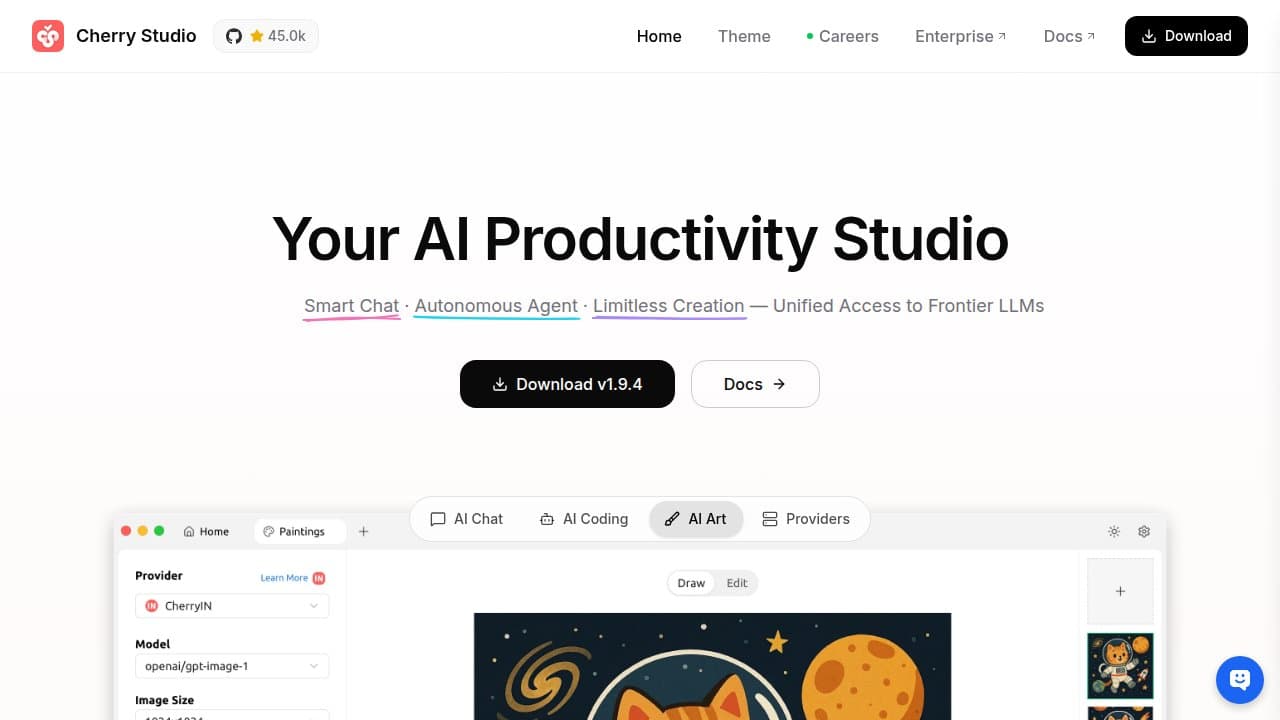

Cherry Studio is a free, open-source desktop client that unifies 300+ LLM providers including OpenAI, Claude, Gemini, and local Ollama models in a single interface. It adds built-in RAG knowledge bases, MCP agent support, and side-by-side model comparison on Windows, macOS, and Linux.
Cherry Studio is a cross-platform desktop application from CherryHQ that gives you unified access to hundreds of large language model providers without switching apps or browser tabs. Built by developer kangfenmao and released publicly in late 2024, it runs natively on Windows, macOS, and Linux via Electron and TypeScript. The core idea is straightforward: instead of maintaining separate subscriptions and interfaces for OpenAI, Anthropic, Google, and others, you connect all your API keys once and route conversations to whichever model you need. The community edition is free under an AGPL-3.0 license, with an Enterprise Edition available for organizations that need private deployment, SSO, and shared knowledge bases.
The application ships with 300+ pre-configured AI assistants covering use cases from DevOps troubleshooting and legal drafting to SEO copy and data analysis. Its built-in RAG knowledge base accepts PDFs, Word documents, PowerPoints, spreadsheets, Markdown files, and URLs, vectorizing them locally so you can query your own documents through any connected model. Cherry Studio supports Anthropic's Model Context Protocol (MCP), turning it from a chat client into an extensible automation platform that can connect to external file systems, web search, code interpreters, and databases. As of v1.9.1 (April 16, 2026), it also includes CherryClaw, a named autonomous agent system with a built-in personality framework and unified Skills management replacing the earlier Plugins system.
What Cherry Studio actually does in May 2026
By April 30, 2026 (v1.9.4), Cherry Studio has shipped 257 releases in roughly 18 months of public availability, demonstrating sustained active development uncommon for solo-origin open-source projects. The application's provider coverage runs across three tiers: major cloud APIs (OpenAI, Anthropic Claude, Google Gemini, Azure), AI web services that can be accessed without raw API keys (Claude.ai, Perplexity, Poe), and local runtime integration through Ollama.
The multi-model comparison mode is one of the standout practical features. You type one prompt and get simultaneous responses from GPT-4.1, Claude Sonnet 4, Gemini 2.5 Pro, and DeepSeek side by side in real time, without copying the prompt across four tabs. For researchers and developers evaluating which model to use for a production task, this saves significant time. The February 23, 2026 v1.0.0 release, which brought web search to all models regardless of provider, generated 288 GitHub reactions (248 thumbs up, 95 celebration emojis), an unusually strong community signal for a non-monetized open-source tool.
The knowledge base implementation supports pdf, docx, pptx, xlsx, txt, md, and mdx formats, along with folder imports, website URLs, and XML sitemaps. Documents are vectorized locally using an embedding model you configure (bge-m3 is the documented recommendation). Matching scores appear alongside retrieval results so you can assess relevance. Limitations include: document images cannot be vectorized and require manual text conversion; websites with anti-scraping protections often fail to import; local file links in sitemaps are not recognized.
"CherryStudio is a power tool for this case..has MCP, search, personas, and reasoning support too.", khimaros, Hacker News, August 2025
Where Cherry Studio sits versus LM Studio and Jan
LM Studio is the closest competitor in the local AI client space, but the two tools occupy meaningfully different positions. LM Studio is proprietary (not open-source), and its design centers entirely on local model management: downloading GGUF-format models, selecting quantizations, benchmarking against your hardware, and running a local API server. It does not offer cloud provider integration, a RAG knowledge base, or an agent framework. Cherry Studio actually supports LM Studio as a local model backend, so the two can be layered: LM Studio manages your local models, Cherry Studio provides the interface, RAG, and multi-model comparison on top. If all you want is the cleanest possible local-only inference experience, LM Studio's purpose-built interface wins. If you also need cloud providers, document Q&A, or MCP connectivity, Cherry Studio covers the full stack.
Jan is fully open-source (Apache 2.0, more permissive than Cherry Studio's AGPL-3.0) and privacy-first. Jan's design philosophy is local-only operation with a minimalist, ChatGPT-like interface. It includes an OpenAI-compatible local API server so tools like Cursor or Open WebUI can route to Jan's local models. Jan's extension ecosystem is still maturing; it lacks Cherry Studio's 300+ pre-configured assistants, built-in RAG, and MCP integration depth. Described in reviews as "what LM Studio would look like if Apple designed it," Jan optimizes for elegance and simplicity over breadth. Cherry Studio's AGPL-3.0 license creates commercial deployment friction that Jan's Apache 2.0 license avoids, which matters for teams building products on top of these tools.
AnythingLLM is the strongest direct competitor on the enterprise knowledge-base side: it offers more sophisticated document indexing and multi-user RAG management, but with a steeper configuration curve. Cherry Studio strikes a better balance for individual developers and small teams who want RAG without enterprise-level setup overhead. LM Studio remains the definitive local model manager, while Cherry Studio is the definitive multi-provider desktop client with local model support bolted in.
What the daily use reality looks like
Setting up Cherry Studio requires connecting API keys for each provider you want to use. For OpenAI, Anthropic, and Google, this means obtaining API access and pasting keys into the settings panel. For local models, you install Ollama separately, and Cherry Studio detects it automatically. The initial configuration takes 15-30 minutes for a multi-provider setup. The 300+ pre-configured assistants cover enough ground that most users can pick an existing persona rather than writing system prompts from scratch, which lowers the initial friction compared to raw API tools.
Day-to-day conversation management is clean. Topics are searchable and can be pinned (added in v1.9.2), and the global search function covers all conversations and knowledge base content. Export options include Markdown, JSON, and PDF. The interface renders Mermaid diagrams and syntax-highlighted code blocks natively, which matters for developer conversations where code review is frequent. WebDAV support allows conversation history to sync to a self-hosted file server or cloud storage, giving users backup options without relying on a vendor's cloud.
The MCP integration is developer-facing and requires configuring MCP server connections manually. The April 2026 v1.9.1 release added flomo as a built-in MCP server and introduced a unified Skills management interface, which simplifies the previous Plugins system. CherryClaw, the autonomous agent launched in the same release, is still early: the agent loop handles multi-step tasks but reliability at scale will require more community testing. For straightforward chat and RAG workflows, the experience is stable. For complex agent automation, it is a capable but maturing framework.
The Electron architecture means Cherry Studio carries the typical Chromium memory overhead. On machines with 8GB RAM and active local models, users report noticeable resource competition. A GitHub issue requesting documented hardware minimums (Issue #9440, August 2025) reflects this real-world constraint. The application is not suited for low-spec hardware if you are running local models alongside it. That said, if you are not running local inference through Ollama simultaneously, the application's footprint is comparable to any Electron-based productivity app; the memory concern is specific to combined cloud-plus-local-model workflows.
"Have fun on their Issues page if you don't read and write Chinese. Documentation pages are written in Chinese as well.". Eisenstein, Hacker News, August 2025
The Chinese-language-first development culture is one of the most consistently noted friction points for English-speaking users. The core interface is localized to English and a dozen other languages. But the GitHub issues tracker, many community forum threads, and portions of the official documentation default to Simplified Chinese. For English-speaking contributors or users trying to troubleshoot edge cases, this adds a real barrier. The project is responsive to issues but the primary support community operates in Chinese.
Who Cherry Studio is built for
Cherry Studio works best for developers and technical users who maintain API access to multiple LLM providers and are tired of context-switching between the ChatGPT interface, Claude.ai, Gemini, and separate local inference tools. The ability to run the same prompt across four models simultaneously is a genuine time-saver for model evaluation work. Researchers building RAG pipelines over private document collections benefit from the local-first knowledge base without needing to deploy a separate vector database stack. Teams considering an on-prem AI hub that is not a SaaS subscription will find the Enterprise Edition a lower-overhead alternative to deploying Open WebUI or a full AnythingLLM instance.
Privacy-conscious users who want document Q&A entirely on their own hardware can configure Cherry Studio with local Ollama models and bge-m3 embeddings so no data leaves the machine. This is a real and tested use case, not a marketing claim: the knowledge base vectorization is local by design, and the API key architecture means you control which providers see which conversations. A blog walkthrough from November 2025 documented the full setup on a Mac Studio with Ollama and RAGFlow, describing the combination as practical for professional research workflows involving sensitive client documents.
Content creators and writers who need to rapidly switch between a fast cheap model (DeepSeek, Gemini Flash) for drafts and a higher-quality model (Claude Opus, GPT-4.1) for polishing find the multi-model interface saves significant time versus managing separate browser tabs or subscriptions. The assistant library's pre-built copywriting, translation, and editorial personas reduce the time spent writing system prompts for routine creative tasks.
Skip Cherry Studio when: You want a purely offline desktop experience with no cloud API dependencies (Jan or LM Studio fit better). You need a mobile client (iOS and Android are on the roadmap but not shipped as of May 2026). You are not comfortable managing API keys and troubleshooting provider authentication. You need a voice-first interface comparable to ChatGPT's Advanced Voice Mode. Or you need an Apache 2.0 license for commercial embedding in a product (Jan's license is more permissive).
User Reviews
No reviews yet. Be the first to share your experience!
Sign in to write a review.
Featured in collections
Curated lists that include Cherry Studio.
Related articles
Guides and articles related to Cherry Studio.

Turn Any AI Agent Into a Superagent: The 12-Integration Stack (2026)
Grok 4.3 API for Agents (May 2026): Pricing, Benchmarks, Migration
Google vs OpenAI vs Anthropic Agents: The May 2026 Platform Showdown
Vantaige Launches the LLM VRAM Calculator: A Free GPU Compatibility Finder for Open-source and Open-Weight AI
Ship Your First MCP Server in 20 Minutes (2026)
