
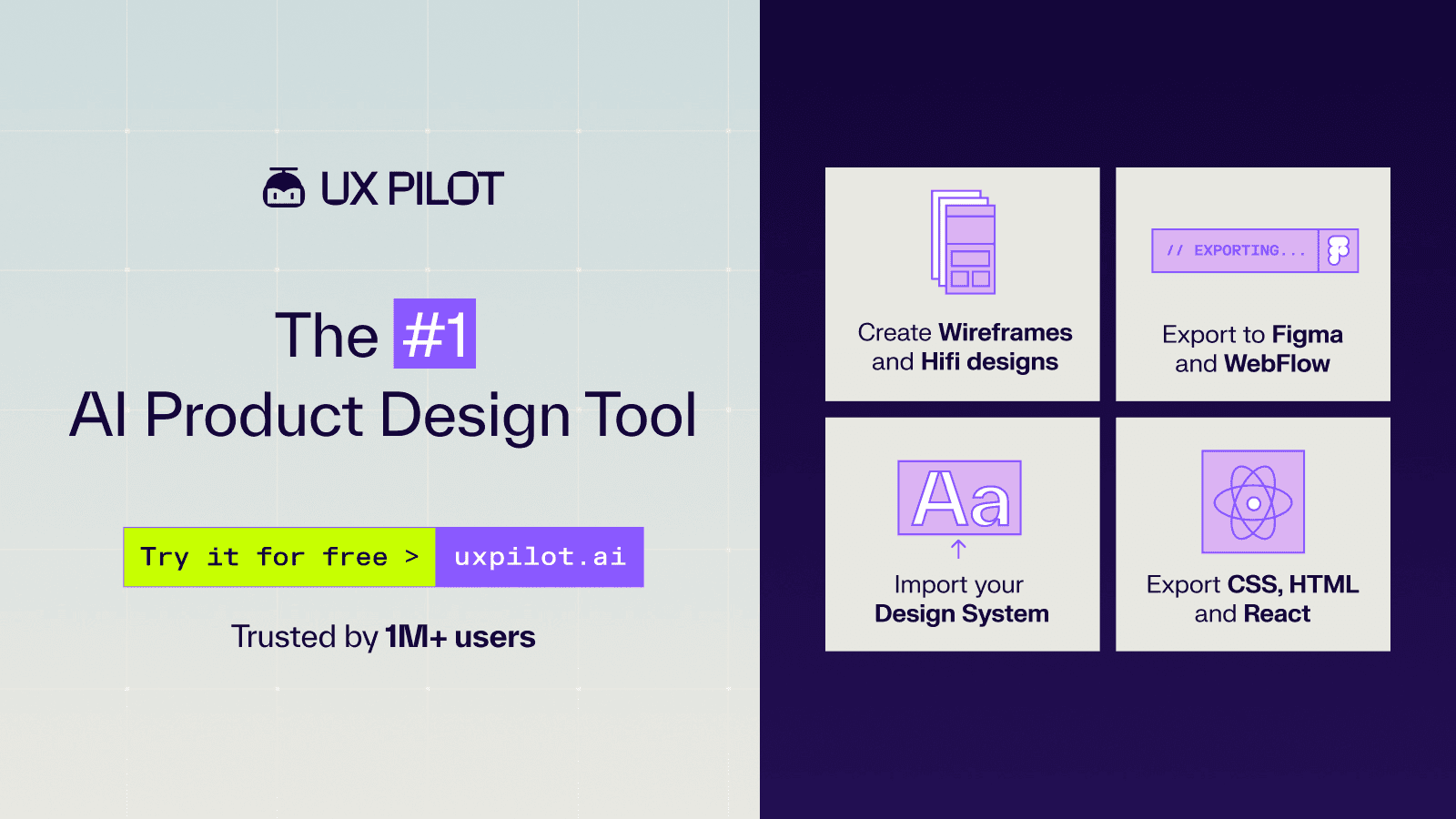

UX Pilot is an AI design workspace that generates high-fidelity UI screens and wireframes from text prompts, then validates them with predictive heatmaps and exports directly to Figma. Built by Adam Fard, it serves over 1 million users.
UX Pilot is an AI-powered UX and UI design platform built by Adam Fard, a Berlin-based designer who bootstrapped it from a Figma plugin side project to a commercial product serving over one million users. The tool solves a specific problem: most designers and product managers spend days iterating on early-stage layouts before anything reaches a developer, and UX Pilot compresses that process from days to minutes by generating production-quality screen designs directly from text descriptions. Unlike tools that produce rough wireframes or mood boards, UX Pilot targets hi-fi output from the first prompt, with the intent that what comes out of the tool is close enough to hand off after light Figma cleanup.
The platform covers the full ideation-to-handoff loop. You describe a screen or flow in natural language, UX Pilot generates high-fidelity UI with typography, color, and component hierarchy, then you iterate via a chat interface without losing your canvas. From there you can generate a predictive heatmap to validate attention flow, run an automated design review that flags contrast and spacing problems, and export the result to Figma or HTML. The Figma plugin, now with over 100,000 installs in the Figma Community, enables two-way sync: import your existing component library on the Pro plan or push finished screens back into an active Figma project. Users working across screen sizes can generate desktop, tablet, and mobile variants in a single step. If you want to compare UX Pilot to more prompt-first prototyping tools, see Google Stitch or the broader canvas of Figma AI.
What UX Pilot creates in June 2026
UX Pilot generates three main output types. First, wireframes: structural layouts in low fidelity, useful for blocking information architecture before visual treatment. Second, high-fidelity UI screens: fully styled layouts with working type hierarchy, color palettes, placeholder imagery, and component organization that approximates what a designer would produce in Figma after several hours of work. Third, screen flows: multi-screen connected sequences that maintain visual consistency across up to 200 screens on the Pro plan, or up to 9+ screens via the Autoflow mode. The chat-based editing layer lets you modify color palettes, swap layouts, or request copy changes without regenerating an entire canvas from scratch.
Two validation features distinguish UX Pilot from pure generators. Predictive heatmaps use established eye-tracking research and visual hierarchy modeling to estimate where users will look first on any generated screen, surfacing attention dead zones or cluttered focal points before a design reaches testing. Automated design review scans for contrast ratios below WCAG thresholds, inconsistent spacing, and layout misalignments, producing a flagged report designers can act on directly. These features sit alongside the core generator rather than being sold separately, which is unusual at this price point.
The Figma plugin provides bi-directional workflow. On Standard plans, users export finished screens as Figma frames. On Pro, existing Figma component libraries can be imported into UX Pilot so that generated designs use your actual design tokens, not generic placeholders. Code export (HTML/CSS) is available across paid plans but outputs basic markup that typically needs developer cleanup before use in production. For teams who want a Figma-native route to AI generation, the comparison to Galileo AI is worth reading; Galileo targets production-grade design systems rather than rapid prototyping velocity.
"The zero shot outputs are unparalleled in that they're credible". Wallis J., IT Consultant, Capterra, November 17, 2025
"halves my wireframing time from a week into half a day". Lucy W., Product Designer, Capterra, November 7, 2025
Where UX Pilot sits versus Google Stitch and Uizard
The three most direct competitors to UX Pilot are Google Stitch, Uizard, and Visily. Each takes a meaningfully different approach to AI-generated UI, and the mechanics matter when choosing between them.
Google Stitch (free, Gemini-powered, launched at Google I/O 2025) uses Gemini 2.5 Flash in Standard mode and Gemini 2.5 Pro in Experimental mode to generate clean interface mockups from text prompts. Stitch auto-generates a design system from scratch during creation, exports to HTML, and has a 5-screen cap per prompt. It has no validation layer at all: no heatmaps, no design review, no credit system. Stitch is completely free, making it the default choice for early-stage ideation on a zero budget. UX Pilot outperforms Stitch on volume (200+ screens), on iteration (chat-based editing vs. starting fresh), on validation (heatmaps and design review), and on Figma integration (two-way sync vs. no Figma export in Stitch). You pay for that depth. For a full breakdown, see our Google Stitch listing.
Uizard takes a wireframe-first approach. Its Autodesigner 2.0 feature generates multi-screen wireframes through a conversational dialogue: the AI asks clarifying questions and presents choices before producing output, which gives more control over the generation process but takes longer per session. Uizard's Wireframe Scanner is a dedicated low-fidelity-first pipeline that converts hand-drawn paper sketches into editable digital wireframes via photo upload, something UX Pilot does not replicate. Uizard also has stronger manual design tools for post-generation refinement (a Canva-style editor) versus UX Pilot's chat-based "selection edits" that require re-prompting for complex changes. Crucially, Uizard does not support Figma export at any tier; UX Pilot's Figma two-way sync is a meaningful workflow advantage for teams already in Figma. If you need low-fidelity-first workflows with stronger manual editing, Uizard or Canva's wireframing tools are worth comparing.
The credit and pricing reality
UX Pilot operates on a credit-based model. Every generated screen costs approximately 15-20 credits. The Free plan gives you 45 one-time credits, which translates to roughly 3 screens before you hit the wall: enough to evaluate output quality on a real prompt, but not a sustainable working environment. Credits do not roll over month to month on any paid plan.
The Standard plan at $19/month gives 420 credits, covering about 25-28 screens per month. For a freelancer producing a handful of small projects, this is workable. For a product manager generating dozens of variations per sprint, you will regularly exhaust the monthly allocation and either wait for reset or upgrade. The Pro plan at $29/month offers 1,200 credits (roughly 75-80 screens), which accommodates heavier usage. Annual billing cuts the effective monthly cost by 25% across all tiers.
The Figma export is paywalled. Free users cannot export to Figma. Figma component imports (so your designs use your actual brand tokens rather than generic placeholders) require Pro or above. The Teams plan at $39/user/month adds shared credit pools and custom integrations. Enterprise is custom-quoted for unlimited access. One review from Eugenio G. (Capterra, January 2026) captured the frustration concisely: "Expensive and difficult to justify over time" for workflows with high screen volume. For reference, Visily starts at $14/month for an unlimited-screens model, though with weaker AI output quality per the LogRocket comparison. UX Pilot's pricing only makes financial sense if the time savings per project outweigh the incremental per-month subscription cost versus alternatives.
Where UX Pilot consistently disappoints
Five friction patterns show up repeatedly across Capterra, G2, and review articles.
Generic visual output. Multiple reviewers note that UX Pilot defaults to a certain look: light backgrounds, blue accent colors, standard SaaS dashboard layouts. For product teams building tools in well-trodden categories, this is efficient. For anyone trying to produce distinctive visual identities or unusual layout patterns, the tool struggles to diverge from its trained aesthetic without extensive iteration. "The tool mostly gives the same blue design vibe and needs more creative variety" is a composite summary from multiple Capterra reviews.
Figma export needs manual cleanup. Exported Figma frames are not natively component-linked even on plans that support Figma export. Spacing and alignment inconsistencies appear frequently, and most reviewers note that design system work (connecting frames to actual component libraries) still requires manual Figma effort after export. Joshua C. (Capterra, November 2025) flagged this directly: "Figma transfers don't use actual components; design system work still needed."
Editing is prompt-dependent, not tool-based. Unlike Figma or even Uizard, UX Pilot does not have persistent manual editing tools. Changing a specific element requires re-prompting via the chat interface, which can trigger full or partial screen regeneration. Iterating on small details costs credits and time. Dino M. (Capterra, March 2026) rated it 1 star, reporting the interface was "so confusing that AI helper couldn't navigate it" and that the Figma import failed entirely on that session.
Credits run out fast. At 15-20 credits per screen, the Standard plan's 420 monthly credits supports light usage only. Several reviewers describe exhausting their monthly allotment mid-project and having to decide between waiting for reset or upgrading.
Heatmaps are algorithmic, not behavioral. The predictive heatmap feature is based on visual hierarchy research, not real user sessions. It can identify obvious attention problems (poor contrast, cluttered focus) but cannot replicate actual user behavior on your specific product. The skywork.ai review framed this clearly: UX Pilot functions as "a hypothesis generator, not a truth machine."
Who UX Pilot is built for
UX Pilot fits a specific workflow profile. It works best for product managers without design backgrounds who need hi-fi mockups for stakeholder reviews, for freelance designers who want to eliminate hours of initial layout work before refining in Figma, and for early-stage startups that need to prototype rapidly across multiple feature areas without a dedicated design team. The 15-hour average savings per project that UX Pilot reports on its about page is plausible for teams starting from a blank canvas on a standard SaaS screen type.
The tool is less suited to experienced design teams that already have established Figma workflows and need precise control over component usage and design token consistency. If your project demands highly custom UI patterns outside standard SaaS conventions, the generic output tendencies will require more iteration than the credit economics support. Teams doing heavy design validation with real users are also better served by dedicated testing tools: UX Pilot's heatmaps add value for early-stage gut-checks, but they do not replace moderated user testing or unmoderated session tools like Maze or UserTesting.
Adam Fard's December 2024 X post articulated why the tool exists: he originally told his co-founders they would never build a UI generator, then user conversations over 12 months showed that hi-fi screen generation was the feature the market actually wanted. That pivot, from UX framework facilitation to layout generation, is what drove UX Pilot from zero to $5.3M ARR in under two years, bootstrapped. The Figma Community plugin surpassing 100,000 installs is the clearest signal that the tool has genuine adoption in professional workflows, not just marketing-driven signups. Designers looking for the adjacent code-generation angle on UI might also check Galileo AI, which targets design-to-code handoff for component-library-heavy teams.
User Reviews
No reviews yet. Be the first to share your experience!
Sign in to write a review.
Related articles
Guides and articles related to UX Pilot.
AI User Testing in 2026: The Tools That Test Your Product While You Sleep

Wix Logo Maker Review (2026): Real Costs, the Edit Catch, and AI Alternatives

Google Vision AI Explained (2026): Pricing Per 1,000 Units, Free Tier, and Alternatives

AI Fashion Prompts That Stay Consistent: The Working Formula (2026)

The Personal AI Productivity Stack (2026): One Tool Per Job, Nothing Extra
