
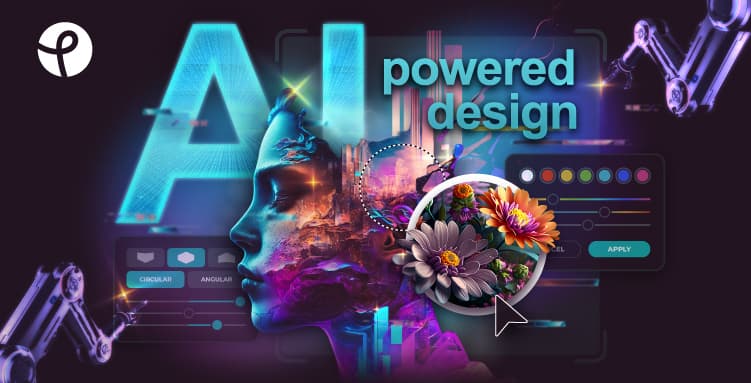

Pixlr is a browser-based photo editor with a 16-year history, offering layer compositing, AI background removal, generative fill, and batch processing. Used by over 130 million mobile app downloads, it covers the gap between filter apps and full Photoshop for casual and small-business creators.
Pixlr is a browser-based photo editing suite founded in 2008 by Ola Sevandersson in Sweden. Autodesk acquired it in 2011 and grew the user base twentyfold before selling it to 123RF (now part of Inmagine Group) in April 2017. The platform was rebuilt from Flash to HTML5 in 2019 and has been adding AI-powered tools since 2022. In November 2023, Pixlr, Designs.ai, and Vectr were reorganized as Pixlr Group, doubling down on generative AI as the company's core direction. By late 2023, mobile apps had been downloaded more than 130 million times and the platform was serving close to 10 million monthly users.
Pixlr is not a single editor: it ships four products under one login. Pixlr Editor is the layer-based advanced tool with brushes, masks, curves, and healing tools. Pixlr Express handles quick one-tap edits and filters. Pixlr Designer offers template-based layouts for social posts and presentations, competing directly with Canva at the lighter end. A dedicated Batch Editor processes multiple photos at once. On the AI side, the current feature set includes text-to-image generation, Generative Fill (prompt-driven content replacement), Generative Expand (intelligent canvas extension), one-click Background Removal, AI Object Removal, AI Face Swap, Super Scale upscaling up to 400%, Super Sharp clarity enhancement, and a newer AI Video Generator added in 2025. All of this works in a browser, on iOS, on Android, and on desktop, under a single subscription.
What Pixlr creates in April 2026
Pixlr's four applications cover different parts of the editing spectrum. Pixlr Editor is the most capable: it opens multiple images as layers, supports blend modes, masks, and a healing brush for blemish removal, and exports at full resolution. This is the closest thing to a lightweight Photoshop available without a software install. Pixlr Express sits below it: faster to load, fewer tools, better for quick crops, color corrections, one-tap filters, and social-ready exports. Pixlr Designer is the template surface: 10,000-plus templates for social media posts, presentations, and marketing materials, with drag-and-drop layout editing.
The AI toolkit in April 2026 runs on subscription credits. The Free tier ships 20 credits; Plus (from $1.49/month annually) provides 80 per month; Premium (from $6.49/month annually) provides 1,000 per month with private mode for AI generations. Generative Fill lets users draw a selection and type a prompt to replace that area with AI-generated content. Generative Expand lets users drag the canvas boundary and fill new areas with contextually appropriate content, useful for repurposing portrait photos into landscape banner dimensions. Super Scale enlarges images up to 400% with AI upscaling that reduces visible degradation, and the Batch Editor applies consistent edits across a folder of images in one pass. AI credit packs (200 credits for $2.99, non-expiring) supplement subscription allowances when the monthly allocation runs out.
Where Pixlr sits versus Canva and Photopea
Canva and Pixlr look similar at a glance but solve different problems. Canva is a design-composition platform: its canvas is vector-oriented and template-first. A user opens Canva to build a presentation slide, a flyer, or a branded social post. The editing workflow starts from a layout, not from a photograph. Canva has 250,000-plus templates, real-time collaboration, brand kits, and a drag-and-drop interface that requires no prior design knowledge. What it cannot do is layer-based raster photo editing: there are no curves, no healing brush, no masks in the Photoshop sense, and no meaningful batch photo processing. Pixlr's free tier is also more restricted than Canva's, which has no daily save cap, while Pixlr historically capped free saves at two to five per day before adding the paid unlimited-saves tiers in 2023.
Photopea is a closer and more technically challenging competitor. It was built by a single developer, Ivan Kutskir, runs entirely client-side in JavaScript, and processes images locally in the browser without sending files to any server. Photopea fully parses and renders PSD files including smart objects, layer effects, masks, and blend modes, making it a near-identical Photoshop replacement at zero cost. It supports over 40 file formats including AI, PDF, Figma, and INDD. Pixlr does not approach that level of PSD fidelity and its format support is narrower, primarily JPEG and PNG. Photopea's advantage is depth and privacy: no account required, no credits, no ads on premium, and all processing stays on-device. Pixlr's advantage is AI tooling and mobile: Generative Expand, Generative Fill, Super Scale, AI Object Removal, and the face swap tool have no equivalent in Photopea's minimal 2025-era AI additions. Pixlr also ships dedicated iOS and Android apps, while Photopea is a browser-only experience with no native mobile app. For users who want Photoshop-level layer editing for free, Photopea is the better choice. For users who want modern AI features, a mobile app, and a cleaner interface, Pixlr is the better choice despite its subscription cost.
Users often compare Pixlr with Canva when evaluating browser-based design tools, though the two tools target different primary workflows. For background removal specifically, Photoroom is a frequent direct competitor with stronger e-commerce focus. Mobile-first creators who want AI editing on the go sometimes gravitate toward PicsArt instead, which prioritizes social sticker effects and community features over Pixlr's photo-editing depth. For advanced AI image generation features, Pixlr's generative tools are more limited than dedicated generators like Freepik AI Image Generator.
"The price of Pixlr is unbeatable. Only $2.49/month for Plus." - Jason B, Capterra, February 2026
The credit and pricing reality
Pixlr's pricing looks affordable at first glance, and the Plus plan at $1.49/month annually is genuinely cheap for what you get. The complication is the credit economy around AI features. Free users start with 20 AI credits: that covers roughly 10-20 background removals or generative fill operations, depending on which tool is used. Once the credits are gone, AI tools become inaccessible until the next monthly reset. Plus users get 80 credits per month, which is enough for light use but constrains heavier workflows. The Premium tier at $6.49/month (annual) unlocks 1,000 credits per month, which covers most professional use cases. Credit packs at $2.99 for 200 credits are available as an add-on but they are consumed only after subscription credits run out, making them a supplemental option rather than a standalone path.
The free tier also carries structural friction. Save limits have been a persistent complaint since before 2023, when Pixlr introduced the Plus and Premium plans partly to monetize against what had been more permissive free access. Auto-renewal billing without advance email reminders has surfaced as a pattern in reviews from 2025: Scott A (Capterra, June 2025) reported being auto-billed for an annual subscription without a renewal warning and described a refund denial. Users who purchase an annual subscription should treat it as a commitment rather than a cancel-anytime arrangement.
For context on how Pixlr's pricing compares against the broader AI design space, tools like Luminar Neo and Topaz Labs offer more powerful AI photo enhancement at higher prices and with desktop-only delivery. Pixlr is the cheaper, more accessible alternative for users who want AI editing in a browser.
Where Pixlr consistently disappoints
The AI generative tools are the most frequently cited weak point in 2024-2025 reviews. Multiple Capterra reviewers reported failures on basic operations: Cristian Vicente V (September 2024) wrote that AI tools "are quite bad, never work when you try to delete or generate something." Sandra H (December 2024) described the generation engine as unable to "handle the simplest prompts" and producing images that did not match specifications. These are not isolated complaints. The generative fill experience is described consistently as producing "mixed results," and the quality of text-to-image generation is considered basic compared to purpose-built generators. Pixlr's AI features work best for background removal and upscaling, both of which have fewer user complaints, and least reliably for generative fill and text-to-image creation.
Performance is a secondary frustration. Browser-based editing is inherently limited by client-side compute, and Pixlr slows noticeably when working with large images or multiple layers. Kimb W (Capterra, January 2025) flagged slowness specifically when handling large files. Users on low-end devices or slow connections encounter this more frequently. The platform has no offline mode, so an interrupted connection mid-edit can cost unsaved work, which has been reported across multiple reviews.
File format support remains a limitation. Pixlr handles JPEG and PNG natively and saves in its proprietary PXZ format for layered work. There is no native RAW support, which excludes the tool from professional photography workflows. Limited format compatibility was noted by Ngala Emmanuel S (September 2023) as a practical constraint for users who receive files in formats like TIFF, WEBP, or AI.
"IA tools are quite bad, never work when you try to delete or generate something." - Cristian Vicente V, Capterra, September 2024
Who Pixlr is built for
Pixlr fits best with casual creators who need more than a filter app but cannot justify the $55-plus monthly cost of Adobe Creative Cloud. A social media manager editing product photos, a blogger adjusting hero images, a small e-commerce seller building listing photos, or a student working on a visual assignment: these are the workflows Pixlr was designed to support. The browser-based access without any download is genuinely useful for people who work across multiple devices or on shared computers. The PixlrEdu program extends free access to educational institutions, which reinforces this positioning.
Skip Pixlr if you need PSD compatibility at the layer-effects depth of Photoshop: Photopea does that for free. Skip it if your primary need is design templates and collaboration: Canva or Figma handle that better. Skip it if your workflow is RAW-based photography: there is no RAW support and no tethered shooting integration. Skip it if high-volume AI image generation is central to your work: Pixlr's monthly credit limits and inconsistent generative quality will frustrate users who rely on AI generation daily. And skip it if billing transparency and easy cancellations matter to your team: the auto-renewal complaints in 2025 reviews suggest the subscription management experience needs improvement.
For users in the right segment, Pixlr is a practical, affordable tool with a 16-year track record and a breadth of features that is difficult to match at under $2/month. The platform has survived two ownership changes, a complete technical rewrite, and a pivot to AI, which suggests it will continue to be maintained and improved. The friction is real but manageable. The price is hard to argue with.
User Reviews
No reviews yet. Be the first to share your experience!
Sign in to write a review.
Related articles
Guides and articles related to Pixlr.
Freepik AI Is Now Magnific: What Changed, What It Costs, and Whether to Stay (2026)

Wix Logo Maker Review (2026): Real Costs, the Edit Catch, and AI Alternatives

Best AI Fashion Model Generators for Clothing Brands (2026)

Google Vision AI Explained (2026): Pricing Per 1,000 Units, Free Tier, and Alternatives

AI Fashion Prompts That Stay Consistent: The Working Formula (2026)
